Import tools
Turn an export from another app into the JSON format DoubleMemory imports. Each converter runs entirely in your browser, so your data never goes through a server.
Runs in your browser. Nothing is uploaded.Your Data Has a Different Shape?
That's ok! This free custom GPT can help you transform it into the shape DoubleMemory accepts.
Just drag and drop whatever PDF/word or file into the GPT, it will convert it into a DoubleMemory compatible JSON file. You can even ask it to automatically generate tags for you based on the content.
Sometimes it may not map all the attributes how you wanted, just tell it to do it again with the map you desired. It's quite magical.
The importer GPT is subject to ChatGPT's terms of service, and is not affiliated with DoubleMemory. If you are worried about data going through OpenAI's servers, you can also give the standard DoubleMemory JSON format to any LLM and a sample of your data, and ask it to write a custom transform script for you and then run it locally.
DoubleMemory Standard JSON Format
Here is how it looks like:
[
    {
        "content": "text or url",
        "tags": ["#tag1", "#tag2"],
        "notes": "optional notes",
        "archivedAt": "2024-03-20T12:00:00Z" (optional),
        "accessedCount": 5 (optional),
        "accessedAt": "2024-03-21T15:30:00Z" (optional)
    }
]
How to Import into DoubleMemory
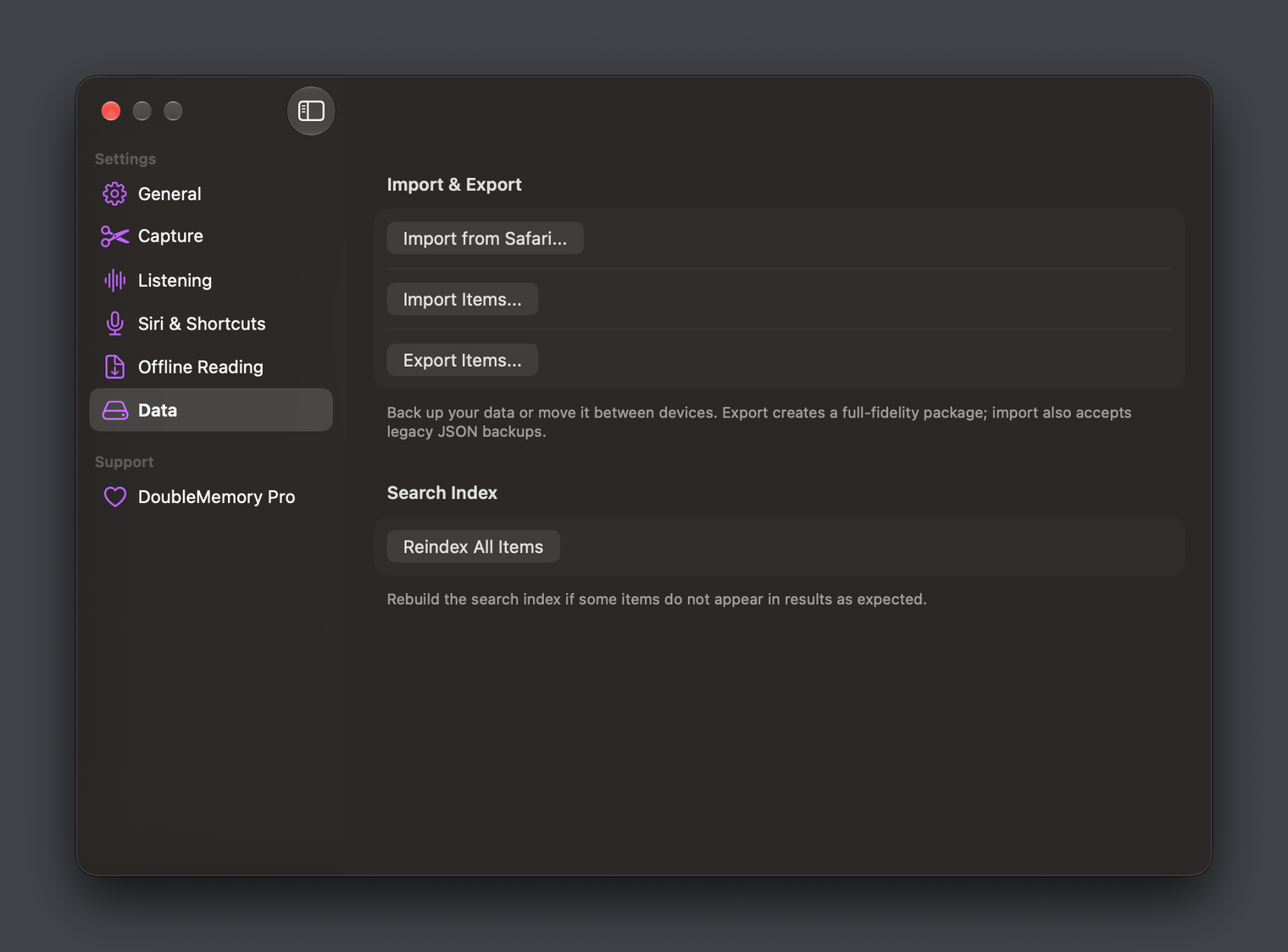
Once you have your DoubleMemory JSON, open Settings in DoubleMemory (right click the DoubleMemory menu bar icon -> Settings), go to Data, and choose Import Items...
If you are looking for more help importing into DoubleMemory, email us at hi@doublememory.com and we may help you...